Jacdac
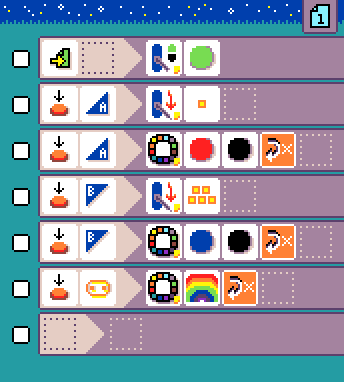
MicroCode will detect Jacdac modules and automatically display tiles for some of them. Tiles are available for all modules in Kittenbot Jacdac Kit A, as as well as the Forward Education Climate Kit. Many of the modules in Kittenbot Jacdac Kit B also are supported.
Programming tiles for Jacdac modules appear in the user interface when the modules are connected to the shield. The Jacdac tiles have a small yellow square in the lower-right corner.
WHEN modules
Sensors

magnet sensordetects the presence of a magnet (levels 1 - 5, where 1 means no magnet present and 5 means strong presence of magnetic field)
light sensormeasures the amount of light (levels 1 - 5, where 1 means little light present and 5 means a lot of light present) measures the amount of moisture (levels 1 - 5, where 1 means very dry and 5 means very wet)
distance sensormeasures the distance to an object (levels 1 - 5, where 1 means very close and 5 means far away)
line sensordetects whether the surface under the sensor is dark or light
User inputs

slidermeasures the position of a physical slider (1-5, where 1 is minimum position and 5 is maximum position)
dialhas two associated events: turn left and turn right

keyis available in the press/release event.
DO modules

LEDset a color animation on a programmable LED strip
relaycontrols a relay switch (turning it on or off)
servo powercontrols the power to a servo motor (turning it on or off)
set servo anglecontrols the orientation of a servo motor arm. The servoarm orientation is mapped to the wall clock hours:0(or12) is on rotated 90 degree from the resting position to the left,6is rotated 90 degree right from the rest position. This operation depends on the servo being powered on.
Jacdac samples
See the following programs for examples of how to use Jacdac modules with MicroCode.